

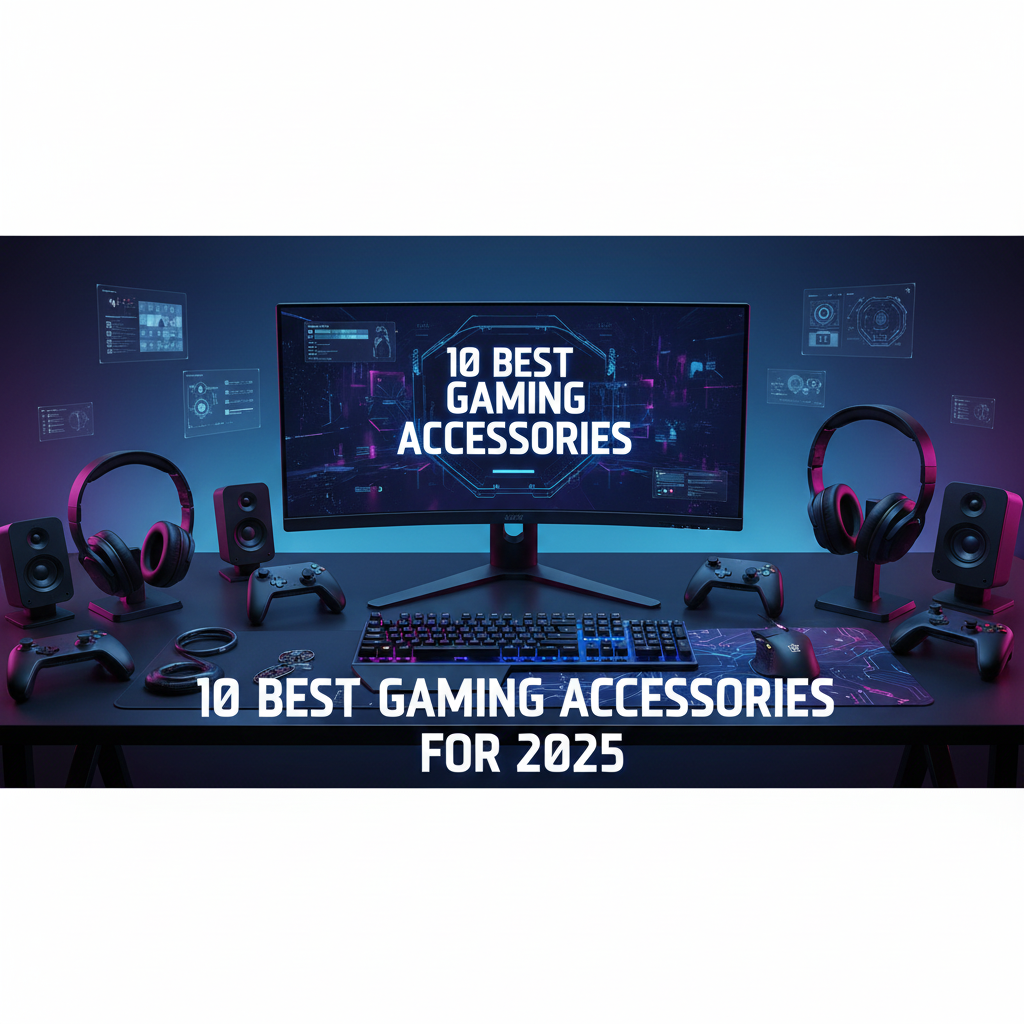
Best Gaming Accessories 2025: 6 Picks to Level Up Your Setup
Your best games don’t happen by accident. They happen when every part of your setup is dialed in—from the display you stare at for hours to the case that keeps your gear safe between sessions. In 2025, gaming accessories are smarter, faster, and more specialized than ever. This curated lineup blends performance anchors (laptops and a desktop that make frames happen) with quality-of-life desk gear (sleeves, pads, glasses, and a themed notebook) so your entire ecosystem performs like a team.
Whether you’re optimizing for esports-grade responsiveness, traveling with a behemoth 18-inch machine, or simply looking to protect your eyes across marathon sessions, you’ll find purpose-built picks below. Let’s get your loadout ready.
Why gaming accessories matter more in 2025
GPU and display tech now outpace yesterday’s bottlenecks, but performance is only as good as the ecosystem around it. OLED panels bring instant pixel response and jaw-dropping contrast—great for shooters and cinematic RPGs alike. High-refresh displays (165–240Hz) demand the right GPU tiers and thermal headroom. Pair that with sleeves designed for exact laptop dimensions, and you keep your investment safe without adding bulk or rattle.
Comfort and sustainability also moved up the priority list. Anti-fatigue solutions like blue light blocking glasses help you game longer with fewer headaches. Desk companions—mouse pads with stitched edges, notebooks that keep strategy notes handy—reduce friction in subtle ways that compound over time.
In short, accessories transform raw hardware into a balanced, dependable, and enjoyable setup.
Common use cases these picks are perfect for
- Travel-ready gaming: If you haul an 18-inch Strix Scar or G18 to tournaments or campus, a precisely fitted sleeve isn’t optional—it’s armor. You’ll want smart pocketing for that brick-sized charger and a snug shell to prevent corner dings.
- Competitive play at home: High-refresh OLED laptops and a desktop with a modern GPU deliver the low latency, deep blacks, and clarity needed to track targets in fast motion. The right machine powers your frame rate; the right surface and ergonomics help you keep it.
- Hybrid work-play desks: A compact mouse pad with a 2025 calendar keeps your schedule visible between scrims. A themed notebook organizes builds, keybind changes, or content ideas. Small touches make a desk feel intentional and fun without sacrificing focus.
How to shop this category in 2025
- Displays: OLED vs IPS comes down to speed and contrast. OLED wins for instantaneous pixel response and color depth; IPS can still be great for longer static sessions and may mitigate image retention risks. Refresh rate (165–240Hz) should match your frame-rate expectations and game genre.
- GPUs and CPUs: RTX 5060 and 5070 Ti-class GPUs are good targets for high-FPS 1080p/1200p and even 1440p in many titles. Pair them with current-gen mobile H-series or desktop-class chips for consistent frame pacing and minimal CPU bottlenecks.
- Thermals and acoustics: Look for robust cooling designs. Expect audible fans under load; that’s normal for high-wattage components. Prioritize consistent performance over brief turbo peaks.
- Sleeves and protection: Confirm interior dimensions and corner protection. Stiffened edges, dense foam, and durable zippers make the difference between a scuff and a “wish I had protected it.”
- Desk ergonomics: Stitched-edge pads prevent fray. Non-slip bases stop jittery aim. Calibrated blue-light filtering can reduce fatigue without shifting colors too far.
Our selection criteria
- Performance where it matters: sustained FPS, smooth frame delivery, and display fidelity
- Ergonomics and comfort for long sessions: eye strain reduction, stable surfaces, travel protection
- Build quality: materials, fit, zippers, stitching, interior padding, and durability
- Practicality: port selection, storage capacity, pocketing, and upgrade paths where applicable
- Real-world fit: compatibility with popular laptop sizes, desk space, and daily carry
- Value over time: components and accessories that remain useful through multiple upgrade cycles
- Positive brand track records and design choices that solve common gamer pain points
1. Smatree 18-inch Sleeve for ASUS ROG Strix Scar & G18 — Protective Case with Accessory Pocket
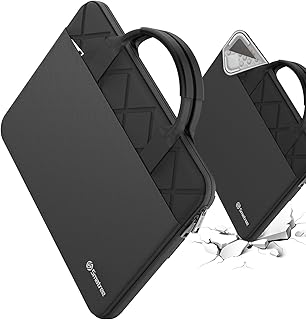
This Smatree E813 laptop sleeve is precisely designed for 18-inch ASUS ROG Strix SCAR and G18 models, offering a snug, movement-free fit. Featuring patented “Super Corner” shock protection and durable, water-resistant 300D polyester, it guards against drops, bumps, and spills. Includes an accessory pouch and luggage strap for easy, organized travel.
$69.99 on Amazon
View on AmazonPrice and availability are accurate as of 01/07/2026 06:37 am GMT and are subject to change.
A massive 18-inch gaming laptop deserves a sleeve that respects its weight and footprint. This Smatree design is built to hug the ASUS ROG Strix Scar and G18 snugly, reducing internal movement that can lead to cosmetic damage. The accessory pocket gives your power brick and cables a dedicated home instead of rattling around in your bag.
If you commute, fly, or hit LAN events, you’ll appreciate the streamlined profile—protection without turning your carry into a suitcase. Just note the precision fit: if you frequently attach a cooling stand or other add-ons, you’ll likely stash those separately. Consider this your daily driver sleeve when you need dependable protection that doesn’t fight your backpack.
2. 2025 Calendar Mouse Pad — Stitched Edges & Non‑Slip Rubber Base (9.5 × 7.8 in)
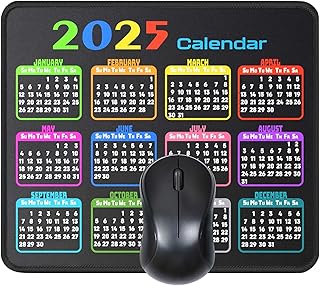
This mouse pad features reinforced stitched edges for long-lasting durability and a non-slip rubber base that keeps it firmly in place. Its smooth surface ensures precise, effortless mouse movement for work or gaming, while the moderate 9.5 × 7.8 inch size fits comfortably on any desk. Easy to clean and maintain, it’s designed for everyday reliability and comfort.
$6.99 on Amazon
View on AmazonPrice and availability are accurate as of 01/07/2026 06:56 am GMT and are subject to change.
Small desk, big utility. This compact mouse pad gives you a firm, steady surface with stitched edges that hold up under daily use. The non-slip base keeps things planted, and the built-in 2025 calendar earns its keep—quickly cross-reference scrim times, content deadlines, or release dates without alt-tabbing.
It’s a productivity-friendly pad that also suits casual gaming. If you run low sensitivity for FPS titles, you’ll want a larger pad to avoid edge bumps. But for hybrid setups where space is tight and you appreciate the visual reminder of your schedule, it’s a tidy little upgrade that punches above its footprint.
3. Lenovo Legion Pro 5i Gen 10 — Intel 24‑Core Ultra 9 275HX, GeForce RTX 5070 Ti, 64GB/4TB, 16″ WQXGA OLED 165Hz
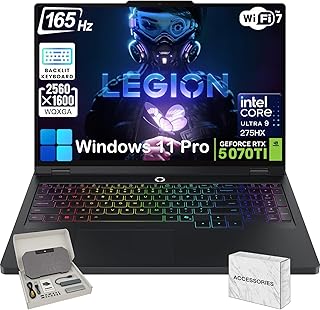
The Lenovo Legion Pro 5i Gen 10 (16″) is professionally opened only for upgrade and testing to meet advertised specs. It features an Intel Ultra 9 275HX processor, NVIDIA RTX 5070 Ti (12GB), and a 16″ WQXGA OLED 165Hz HDR display. With up to 64GB DDR5 RAM, up to 8TB NVMe SSD, Wi-Fi 7, and Thunderbolt 4, it’s built for high-end gaming and performance.
$3,399.99 on Amazon
View on AmazonPrice and availability are accurate as of 01/07/2026 07:00 am GMT and are subject to change.
This Legion Pro 5i is designed for players who refuse to compromise on visuals. The 16-inch WQXGA OLED panel provides phenomenal contrast, ultra-fast pixel transitions, and a high 165Hz refresh rate that together make motion razor sharp. Paired with a 24-core Ultra 9 chip and RTX 5070 Ti-class graphics, you’re set for modern engines and smooth competitive play.
It’s also a productivity beast: generous RAM and SSD space remove bottlenecks for streaming, editing, and virtual machines. As with any performance laptop, budget for fan noise under load and practice OLED-friendly habits (taskbar auto-hide, varying content) for longevity. If you want a premium visual experience alongside serious muscle, this is a standout.
4. Lenovo Legion T5 Gen 10 Gaming Desktop — Ryzen 7 7700X, NVIDIA RTX 5070 12GB, 64GB DDR5, 2TB SSD

The Lenovo Legion Tower 5 Gen 10 (30L) is opened only for upgrades and testing to meet specifications. It features an AMD Ryzen 7 7700X, NVIDIA RTX 5070 (12GB), 64GB DDR5 RAM, 2TB SSD, and Windows 11 Pro. Designed for high-performance gaming with advanced cooling, Wi-Fi 6E, and a robust 850W power supply.
$2,699.99 on Amazon
View on AmazonPrice and availability are accurate as of 01/07/2026 07:55 am GMT and are subject to change.
If you’re ready to make your desk the center of gravity, the Legion T5 provides the headroom only a tower can. The combination of a modern Ryzen 7 and RTX 5070-class GPU comfortably targets high settings and high refresh rates at 1440p, with the thermal tolerance to hold clocks over long sessions.
Beyond day-one performance, the real win is flexibility. Upgrade drives, swap in a higher-watt GPU later, tailor your cooling—this platform grows with your ambitions. It’s obviously not travel-friendly, but if you want stable, quiet power at home and the freedom to build out your ecosystem piece by piece, it’s a smart foundation.
5. Grupo Erik A5 Street Fighter Notebook — Sticky Notes, Stickers & Gift Box

Whether you’re writing, planning, or journaling, Erik’s elegant A5 notebook is a stylish and practical choice. Featuring beautifully designed covers, a secure elastic closure, and high-quality 100 gsm paper, it’s perfect for work, creativity, or bullet journaling. Available in a wide range of colors and page layouts to suit every style and need.
$53.49 on Amazon
View on AmazonPrice and availability are accurate as of 01/07/2026 08:15 am GMT and are subject to change.
Not every accessory needs silicon to improve your experience. This Street Fighter A5 notebook sits nicely on the desk to capture build ideas, new keybinds, combos, to-do lists, or content scripts. Sticky notes help with on-monitor reminders before tournaments or streams, and the themed stickers add a little personality to otherwise sterile gear.
It’s compact, so it won’t monopolize space, though artists and diagram-heavy note-takers might prefer larger formats. Think of it as low-friction organization: a quick jot pad that keeps your head clear so you focus on the match.
6. Blue Light Blocking Glasses — Comfortable Anti‑Eye‑Strain for Gaming, Reading & Screens

These blue light glasses reduce digital eye strain by filtering harsh screen glare from computers, phones, and gaming monitors, keeping your eyes comfortable all day. Designed for work, gaming, or late-night screen use, they feature a lightweight unisex frame with a stylish retro touch. Flexible, durable, and comfortable, they’re the perfect everyday eyewear for modern digital life.
$44.00 on Amazon
View on AmazonPrice and availability are accurate as of 01/07/2026 08:30 am GMT and are subject to change.
Long play isn’t just about endurance—it’s about comfort and clarity. Blue light blocking glasses can take the edge off late-night sessions by filtering portions of high-energy visible light that contribute to fatigue, especially on bright OLED and HDR panels. A lightweight, headset-friendly frame minimizes pressure points during marathon matches.
Expect mild color temperature shifts depending on the coating. If you do color-critical work, you may prefer to use them selectively. For everyone else, they’re a simple, effective way to ease strain and keep focus locked on the action.
FAQ
- Are OLED gaming laptops safe from burn-in for daily use?
OLED tech has matured, and most users can avoid image retention with smart habits: enable dark mode, auto-hide static UI elements, vary content, and use screen savers. For mixed use (gaming, media, work), OLED’s speed and contrast are often worth it.
- What refresh rate should you target in 2025?
For competitive shooters, 165Hz or 240Hz keeps input and motion smooth. If you play mostly cinematic AAA titles, 120–165Hz is a sweet spot that still benefits responsiveness without overtaxing thermals.
- How do I choose between a desktop and a gaming laptop?
Pick a desktop if you value upgradability, sustained acoustics, and the best price-to-performance at home. Choose a laptop if you travel, attend events, or need a single machine for work and play. Many gamers pair a desktop at home with sleeves for a secondary portable rig.
- Do blue light glasses really help?
They don’t fix refractive vision issues, but they can reduce perceived eye strain and improve comfort during long sessions, especially at night. Combine them with sensible brightness, ambient lighting, and scheduled breaks for best results.
- What should I look for in a protective laptop sleeve?
Accurate interior sizing, dense padding, reinforced corners, quality zippers (like YKK), and an accessory pocket. If you carry in busy environments, water-resistant materials are a plus. Confirm fit for your exact laptop model and generation.
The Final Loadout: Lock In Your Edge
Here’s the quick way to decide. If your priority is portable performance with gorgeous visuals, go Legion Pro 5i for OLED richness at 165Hz or Helios Neo 16S for a searing 240Hz OLED and competitive play. Want the smoothest esports experience at FHD+ with huge capacity? The Strix G16 (2025) is dialed for speed and storage. Prefer a higher-ceiling GPU and Ryzen muscle at 1200p? The Strix G16 WUXGA 165Hz hits that balance.
Stationary warrior building a long-term command center? The Legion T5 Gen 10 is your expandable core—pair it with your preferred monitor and peripherals. Protect your investment on the move with Smatree sleeves: the 18-inch model for ROG Scar/G18 giants, and the 17.3-inch model with corner protection for Blade-class rigs.
Round out comfort and organization with the 2025 calendar mouse pad for quick planning, the Street Fighter notebook for strategy notes, and blue light glasses to keep eyes fresh when the grind stretches past midnight.
Choose the pieces that match your playstyle and routine. When your gear disappears into the background and you’re just in the game, that’s the real accessory win.








Leave a Comment